Telling Technology · How I Use Claude Code
EP.02 — THE GLITCH
One prompt, one map of everything

I asked AI to draw
my whole system

So I typed one sentence: "draw the entire AIOS project." Out came a hand-sketched map of my whole operator brain — six live connections, one central hub. Then I looked closer at the labels.
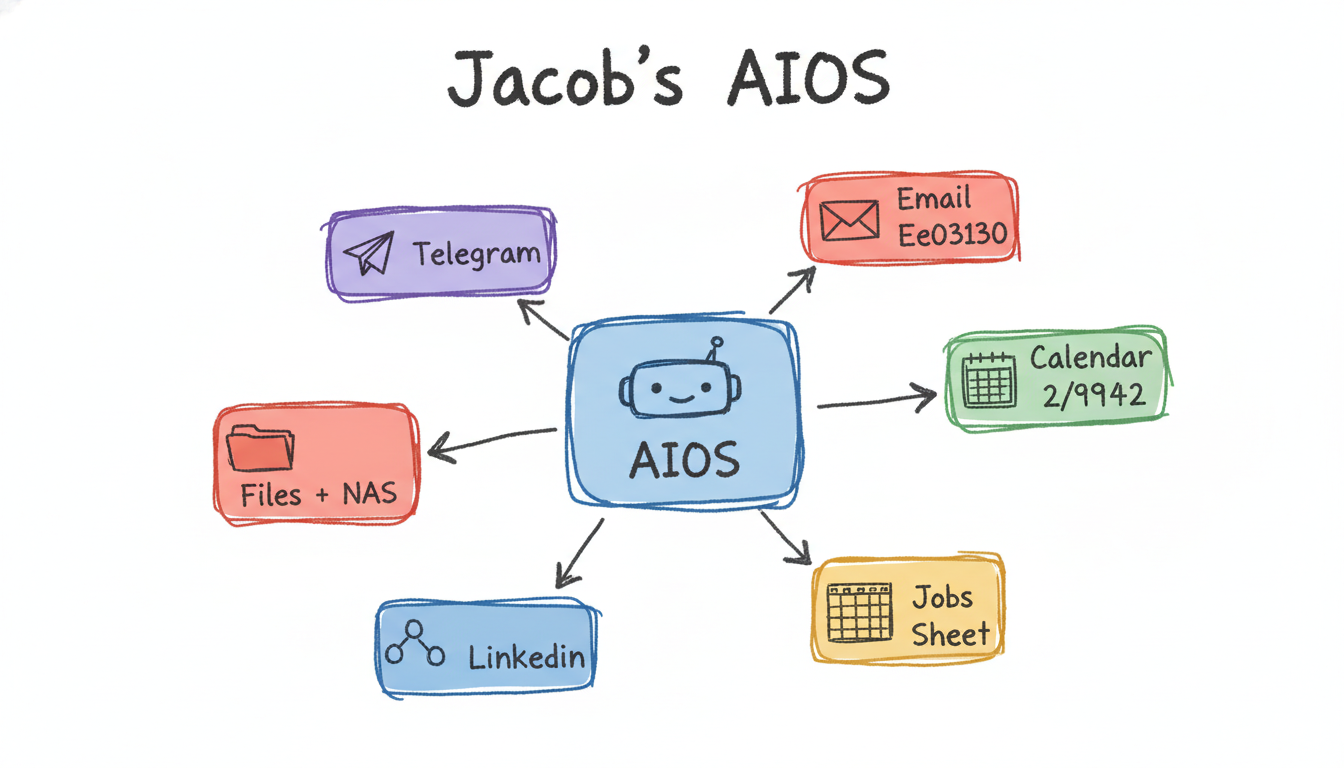
Hand-drawn hub-and-spoke map of the AIOS operator brain with six connections
⌁ one prompt · ~$0.05 · PNG + editable twin
scroll — read the labels carefully
01 The one-liner

One sentence in. My entire setup, drawn.

Last episode I wired up a skill that sketches like a human. So I pointed it at the hardest thing I had: my whole AI operating system. No diagram tool, no boxes-and-arrows by hand — just one line, and a rule that every picture also saves an editable twin.

claude code — desktop
> Make a visual of the entire AIOS project
> every time I ask for a visual, also save the matching .excalidraw next to the PNG
Hub-and-spoke it is: the AIOS brain in the centre, six connections radiating out — Gmail, Calendar, To-Do, Telegram, Notes, GitHub. Baked the pairing rule into both commands and saved it as a memory so it sticks across sessions.
AIOS overview map
spot the glitch
The structure is perfect. The labels… not quite.
02 The honest part

Then I read the labels: "Email Ee03130"

"Calendar 2/9942." "Email Ee03130." The image model had quietly written raw colour codes into the text. This is the exact part most AI demos crop out — so I'm leaving it dead centre.

⚠️

Why a drawing model "types" hex codes

When the styling leaks a stray colour like #Ee03130 into the prompt, the image model can't tell "this is a colour" from "this is a word" — so it draws the characters onto the label. The editable .excalidraw twin had clean text the whole time, and a 5-cent re-run fixes the PNG. The glitch is the lesson: you stay in the loop, the tool does the drawing.

03 Same five-cent move

Once it clicked, everything became one line

The same command that drew the system map also drew the pieces inside it — brand palette, onboarding cards, the job-hunt pipeline. Every PNG ships with an editable twin, so a wrong label is never a dead end. Tap any image to enlarge it and read the exact prompt that drew it.

THE CLEAN RE-RUN

Five cents later, no glitch.

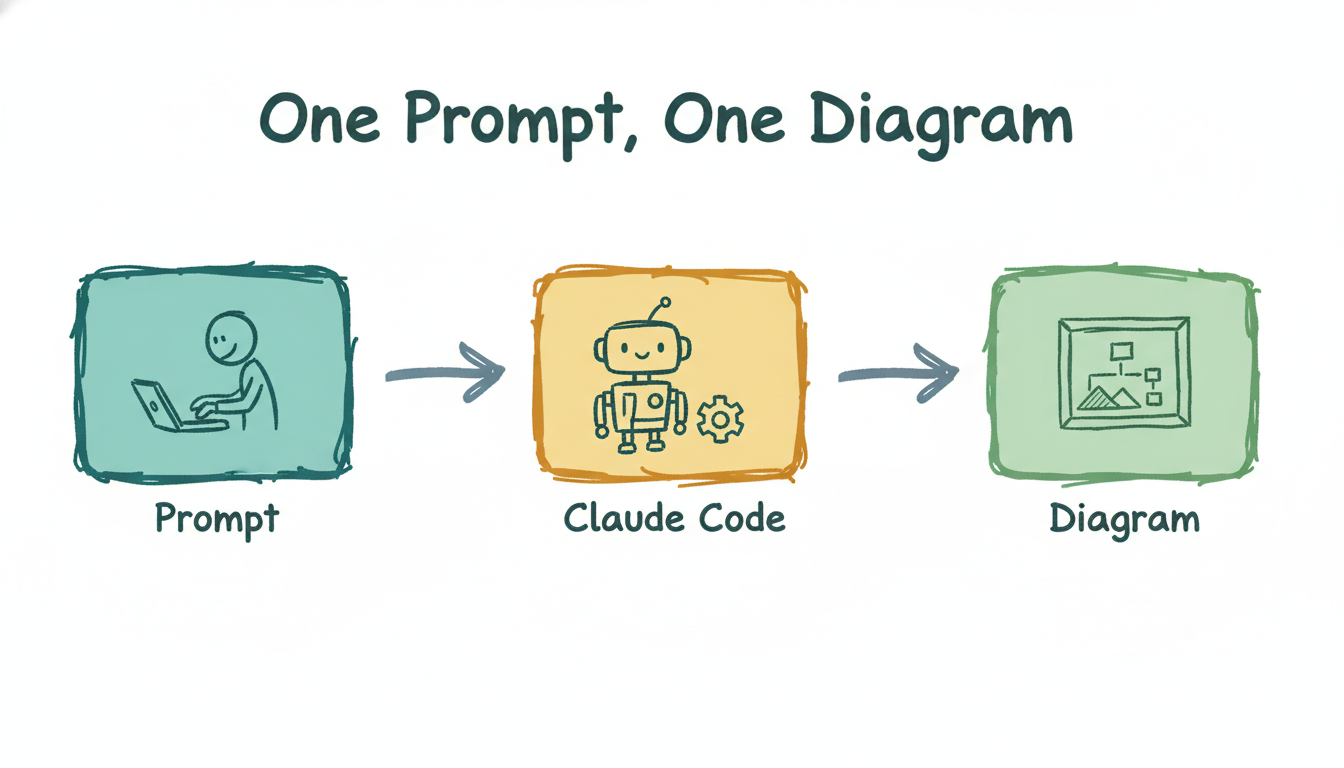
Same loop, run again — typed once, rendered through kie.ai, saved as a PNG and an editable file. The labels behave when the colour codes stay out of the text.

One prompt, one clean diagram
one-prompt-one-diagram.png + .excalidraw · 16:9 · ~$0.05 · kie.ai / Nano Banana 2
04 Steal this

The exact diagram — yours to edit

Grab the editable AIOS system map and the two slash commands that drew it. Open the .excalidraw, swap in your own boxes, and you've got a map of your stack. Everything's free and open.

file aios-overview.excalidraw cmd /diagram (free, editable) cmd /visual (~$0.05 PNG) png the system map
run it gh repo clone bitesize-ai/episodes ~/bitesize && open ~/bitesize/ep02-system-map

No GitHub? Comment MAP on the post and the bot DMs you the link.

Next episode

So I turned those labels into a game.

If the system is a map, the connections are levels to unlock. Next: I batch-generated 18 gamified "unlock cards" for my whole operator setup — from my phone, on the couch, in one Telegram session.

Teaser: one of the unlock cards
Ep.03 drops next · follow @bitesizeai so you don't miss it