Bitesize AI · How I Use Claude Code
EP.01 — VISUALS
A Claude Code workflow, on screen

The skill that
draws like a human

One sentence in. A hand-drawn diagram out. Here's the real prompt-by-prompt story of how I taught Claude Code to sketch — and the screen-recording script that turns it into a short.
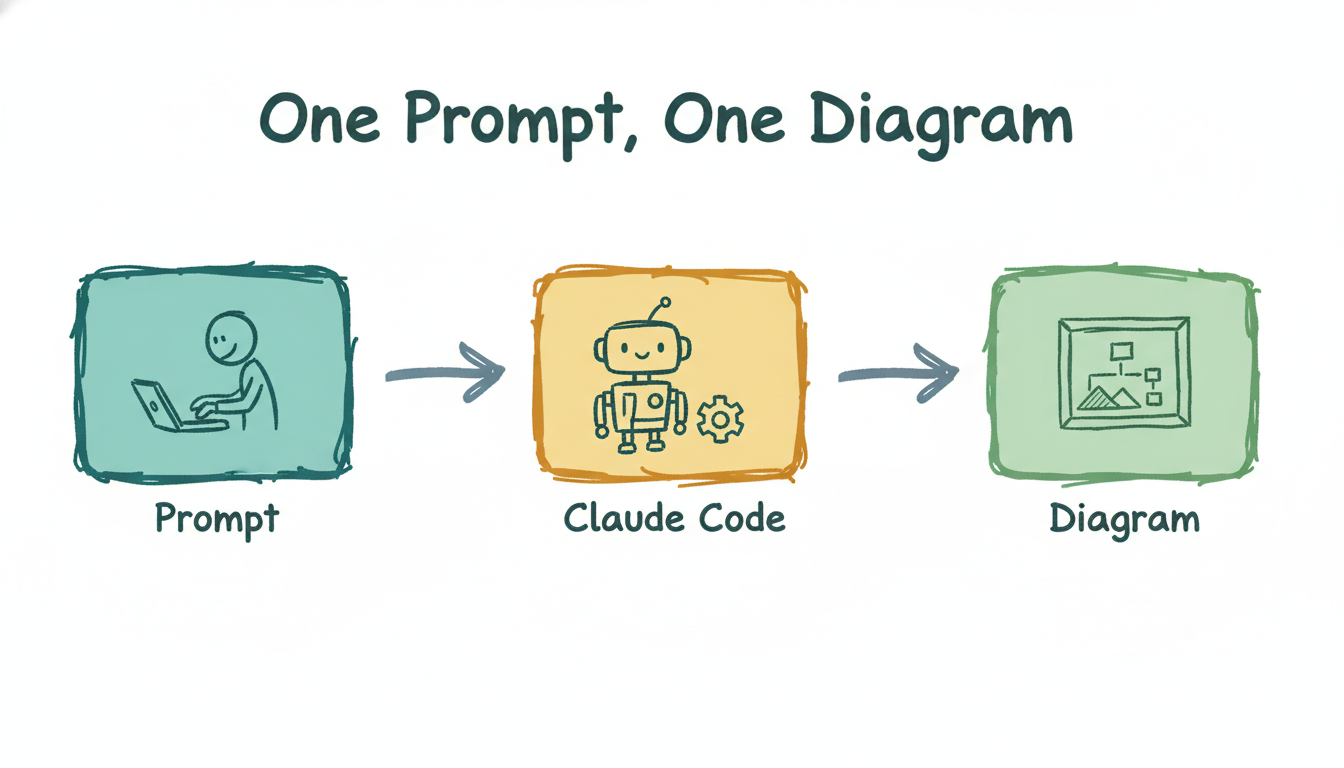
One prompt, one diagram — hand-drawn flow
⌁ generated live for this episode · ~$0.05 · 16:9
scroll — the whole thing started with a download
01 The download

I grabbed a skill off the internet. Claude opened it and corrected me.

I found Nate Herk's Excalidraw skill and asked Claude Code to install it into my AIOS. Instead of blindly copying files, it read the package first — and told me it was actually two skills, not one.

claude code — desktop
> i want to download and try the skill from Nate Herk that draws in excalidraw — please copy the files and set it up in a suitable location. Can it be part of the AIOS?
Looked at the source first. You actually have two different skills: excalidraw-diagram (free, editable JSON) and excalidraw-visuals (PNGs via kie.ai, ~$0.02–0.09). Both can live in the AIOS. Installing both, swapping in the newer SKILL.md…
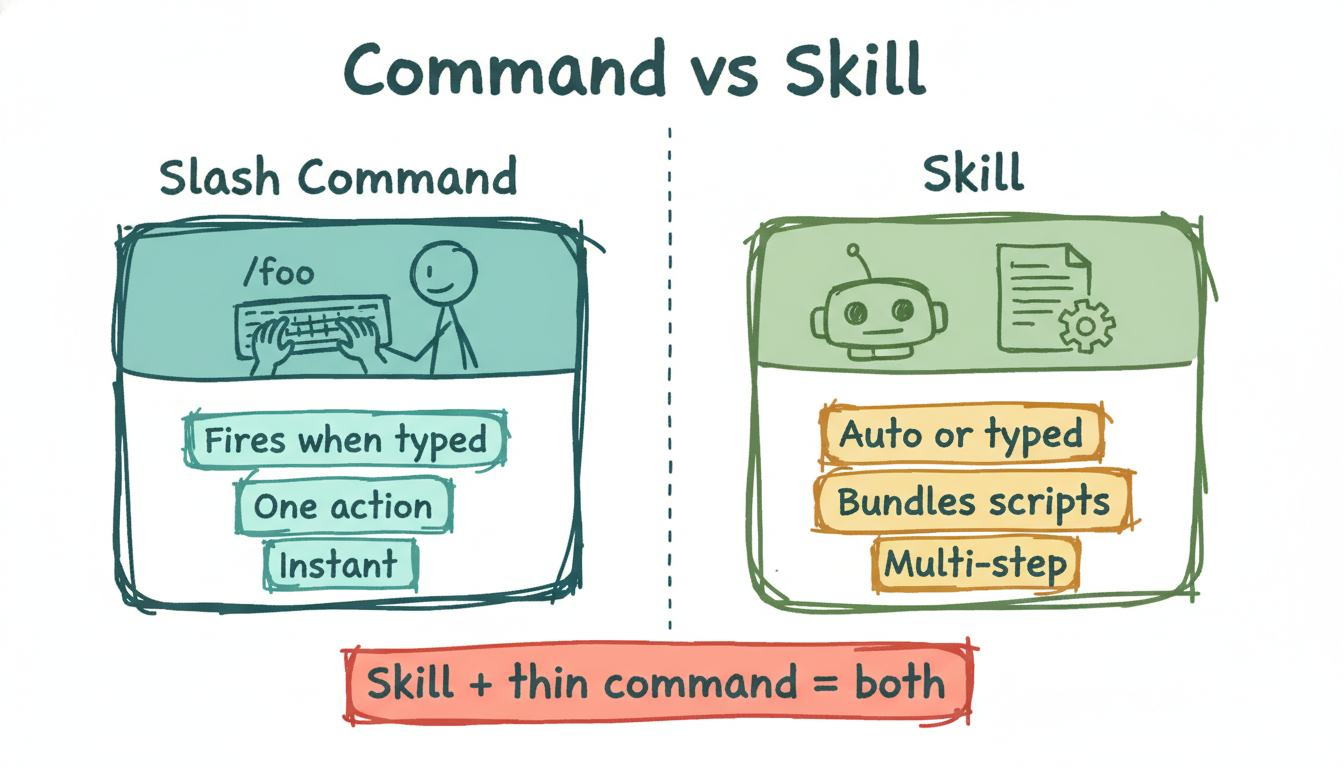
Command vs Skill diagram
drawn BY the skill
…and the difference, drawn by the very skill we were installing.
02 Two commands

One keystroke each: /diagram and /visual

I dropped my kie.ai key in and asked for slash commands. /diagram writes a free, editable file. /visual spends about five cents and renders a genuinely hand-sketched PNG — perfect for the channel.

claude code — desktop
> added key. how do I use the skills to draw diagram / visual? Can you create slashcommands?
Done — both are live:
/diagram <idea> → free, editable .excalidraw
/visual <idea> 16:9 → PNG via kie.ai (~$0.05)
They also trigger from plain language. Want a test run?
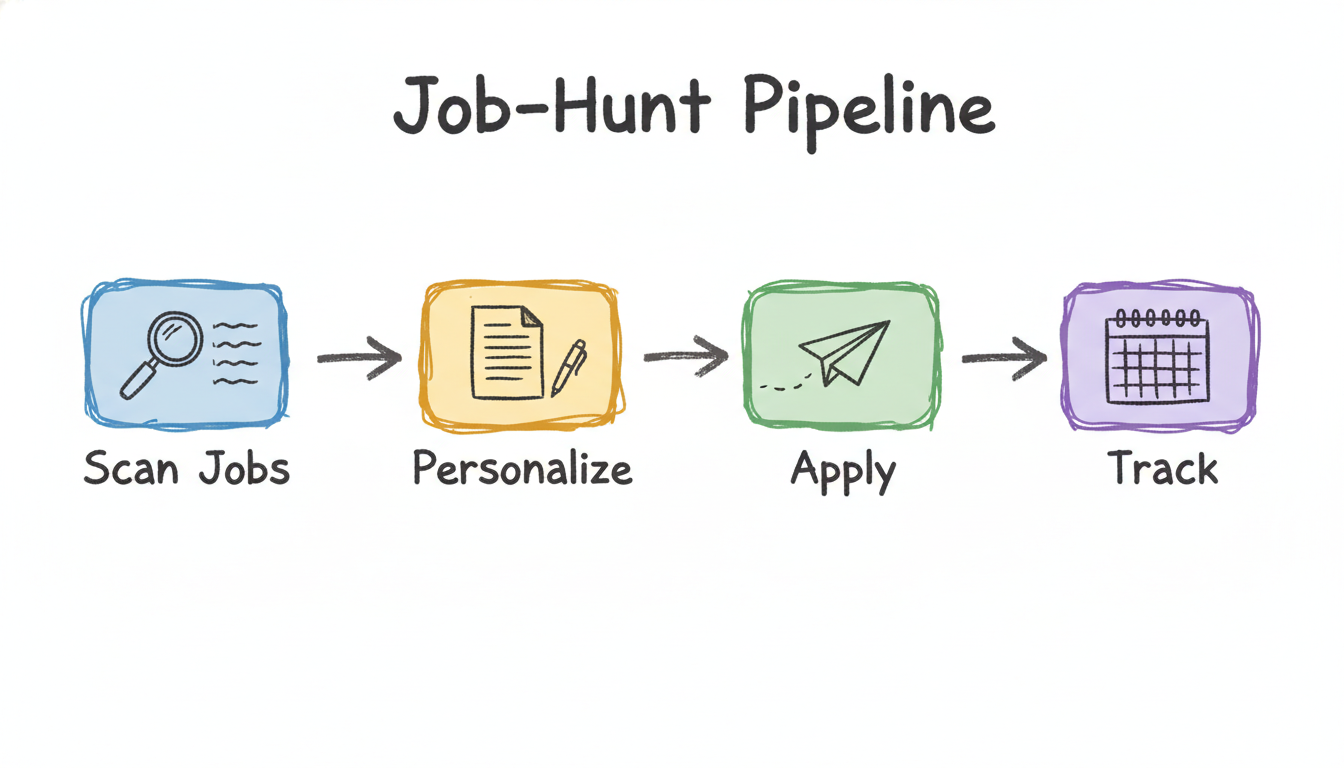
Job-hunt pipeline visual
first real test
First test, same concept both ways — my job-hunt pipeline.
03 The honest part

Then I asked it to draw my whole system — and it glitched.

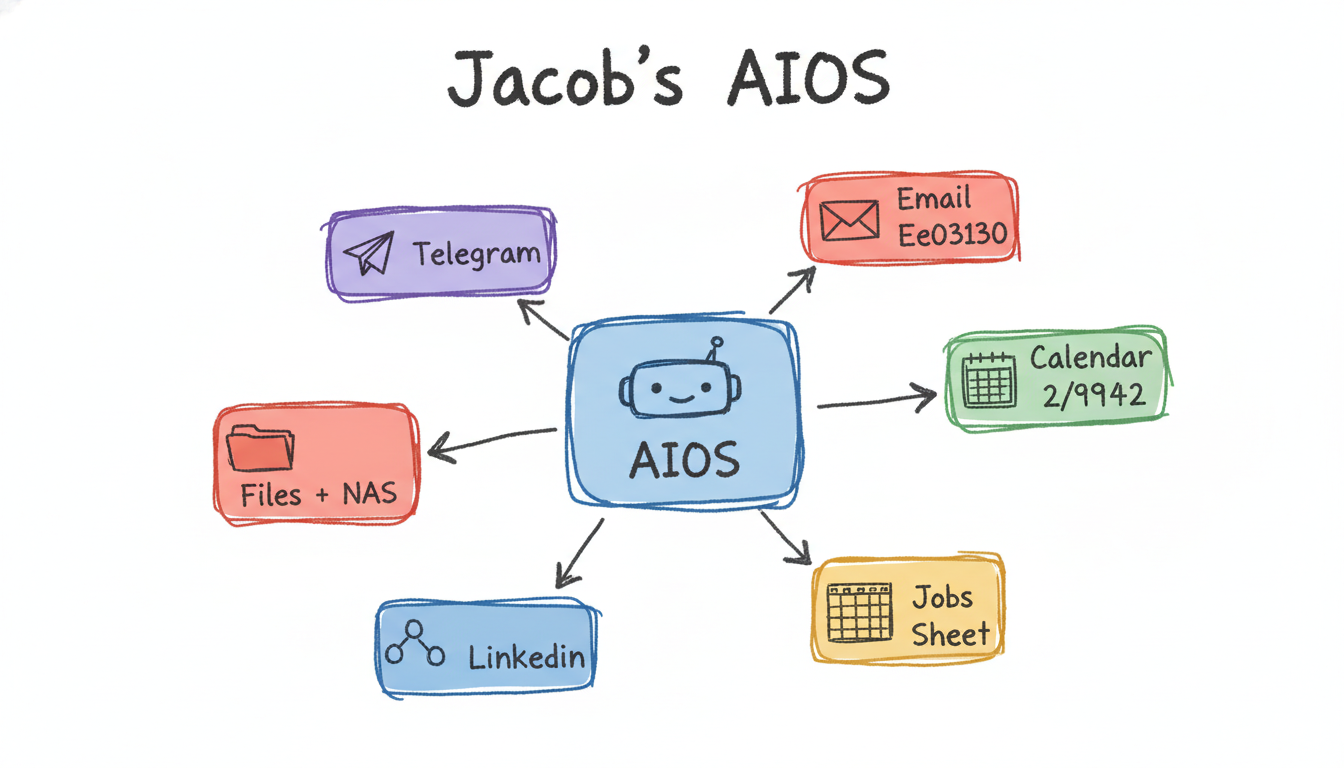
"Make a visual of the entire AIOS project." The structure came out perfect: a central brain with six live connections. But the model leaked two raw colour codes into the labels. This is the part most demos hide.

claude code — desktop
> Make a visual of the entire AIOS project
> always place both PNG and .excalidraw in the same folder — every time I ask for a visual, also make the matching .excalidraw file
Hub-and-spoke: AIOS brain in the centre, six connections radiating out. Baked the pairing rule into both commands + saved it as a memory so it sticks across sessions.
AIOS overview visual with hex glitch
spot the glitch
"Email Ee03130", "Calendar 2/9942" — a real AI quirk, not airbrushed out.
⚠️

Why I leave this in

The image model reads stray hex like #Ee03130 as text and writes it onto the label. The editable .excalidraw twin had clean labels, and a 5-cent re-run fixes the PNG. Showing the glitch is the lesson: you stay in the loop, the tool does the drawing.

04 The output, once it clicked

Same five-cent command, anything I can describe

Brand palettes, onboarding cards, voice setup — all the same one-line move. Every PNG ships with an editable twin.

GENERATED LIVE WHILE BUILDING THIS PAGE

One prompt. Eight seconds. This.

The exact loop the episode teaches — typed once, rendered through kie.ai, saved as a PNG and an editable file.

One prompt one diagram, generated live
2026-05-29-one-prompt-one-diagram.png + .excalidraw · 16:9 · ~$0.05 · kie.ai / Nano Banana 2
05 The shoot

Channel A script — you, on camera

"Telling Technology" cut: you to camera, screen-recording underneath, image reveals edited in à la Nate Herk. ~50 seconds, vertical-safe framing.

CHANNEL A · TELLING TECHNOLOGY

"I taught Claude Code to draw"

Hook-first, one honest beat, payoff. Cut on the verbs.

Runtime~50 sec
Format9:16 + 16:9
You on camHook + payoff
Cost shown$0.05
TimeOn screenVoiceover / to camera
0:00–0:04 You, to camera. Hard cut to the hero diagram on "this". "I gave Claude Code a skill that draws like a human — and it turned one sentence into this."
0:04–0:12 Screen-rec: the install prompt typing out. Highlight "two skills". "Last week I downloaded a drawing skill. Claude opened it up and told me it was actually two skills, not one."
0:12–0:22 command-vs-skill.png slides in. Lower-third: /diagram · /visual. "So we wired two commands. /diagram makes a free, editable file. /visual spends about five cents and renders a real hand-drawn PNG."
0:22–0:33 Type the prompt → job-hunt-pipeline.png reveals box by box. "First real test — my job-hunt pipeline. One prompt: scan, personalize, apply, track."
0:33–0:42 aios-overview.png. Circle/zoom the "Ee03130" glitch. "It's not magic. When I drew my whole system, it leaked two colour codes into the labels — so I just re-ran it. Five cents."
0:42–0:50 Back to you, then the live diagram + handles on screen. "Now any idea becomes a diagram in one line — a PNG for the video, an editable file for me. Follow for episode two."
Teleprompter — clean read

[hook]I gave Claude Code a skill that draws like a human — and it turned one sentence into this. [setup]Last week I downloaded a drawing skill, and Claude told me it was actually two skills, not one. [commands]So we wired two commands — slash-diagram for a free editable file, slash-visual to render a real hand-drawn PNG for about five cents. [test]First test: my job-hunt pipeline, in one prompt. [honest]It's not magic — it once leaked colour codes into the labels, so I re-ran it. [payoff]Now any idea becomes a diagram in one line. Follow for episode two.

# ClaudeCode# AIautomation# Excalidraw # AIworkflowS# buildinpublic# promptengineering